Nextcloud
Basic Information
Username in the environment Your HAMK username in Google format username@student.hamk.fi
| Meaning | Password |
|---|---|
| Username for the database | dbadmin |
| Database phpmyadmin password | root007-jsFcTe4u27FGZe4KpeYff |
| Database admin password | root007-jsFcTe4u27FGZe4KpeYff |
| ----------- | ----------- |
| Database name | wordpress |
| Database username | wordpress |
| Database password | wordpress007-jsFcTe4u27FGZe4KpeYff |
| Database server | localhost |
| ----------- | ----------- |
| Wordpress username | student |
| Wordpress Password | root007-jsFcTe4u27FGZe4KpeYff |
| ----------- | ----------- |
| Nextcloud username | student |
| Nextcloud Password | Read it from Mysql |
Traditional installation method without docker! Download and unpacking the installation package. You may want to install older V26 version because it's more stable. ALWAYS when you install lates you will get lates features that include bugs and package requirements
###lates
cd /var/www/html
sudo wget https://download.nextcloud.com/server/releases/latest.tar.bz2
sudo tar xfj latest.tar.bz2
sudo chown www-data:www-data nextcloud -R
###V26
cd /var/www/html
sudo wget https://download.nextcloud.com/server/releases/latest-30.tar.bz2
sudo tar xfj latest-30.tar.bz2
sudo chown www-data:www-data nextcloud -R
Creating a Nextcloud data folder outside of the web server share.
Apache pointer for nextcloud
<VirtualHost *:80>
ServerAdmin admin@example.com
DocumentRoot /var/www/html/nextcloud/
#ServerName example.com
#ServerAlias www.example.com
Alias /nextcloud "/var/www/html/nextcloud/"
<Directory /var/www/html/nextcloud/>
Options +FollowSymlinks
AllowOverride All
Require all granted
<IfModule mod_dav.c>
DAV off
</IfModule>
SetEnv HOME /var/www/html/nextcloud
SetEnv HTTP_HOME /var/www/html/nextcloud
</Directory>
ErrorLog ${APACHE_LOG_DIR}/error.log
CustomLog ${APACHE_LOG_DIR}/access.log combined
</VirtualHost>
Calling Apache modules
sudo a2ensite nextcloud.conf
sudo a2enmod rewrite
sudo a2enmod headers
sudo a2enmod env
sudo a2enmod dir
sudo a2enmod mime
sudo systemctl restart apache2.service
NOTE! Here are examples of modules that you have to implement. Nexcloud also requires other modules that you can install independently.
Creating a database
sudo mysql
create database nextcloud;
create user 'nextcloud'@'localhost' IDENTIFIED BY 'root007-jsFcTe4u27FGZe4KpeYff';
GRANT ALL PRIVILEGES ON nextcloud.* TO 'nextcloud'@'localhost' WITH GRANT OPTION;
FLUSH PRIVILEGES;
EXIT;
Enabling the service
If you have installed phpmyadmin, the site opens ready. If you haven't installed it, the installation will ask for missing php packages such as php-zip etc.You don't get commands from me, you have to apply.
Example command:
Loggin in to the service! Note remember to change the IP address to your own server address and use http!
Let's check the functionality http://xxx.xx.XX.XX/nextcloud/index.php/settings/admin/overview
NOTE: We are using ip:s and not domain names. This is because the domain name is not yet in use and by default the services are not super happy with the ip address.
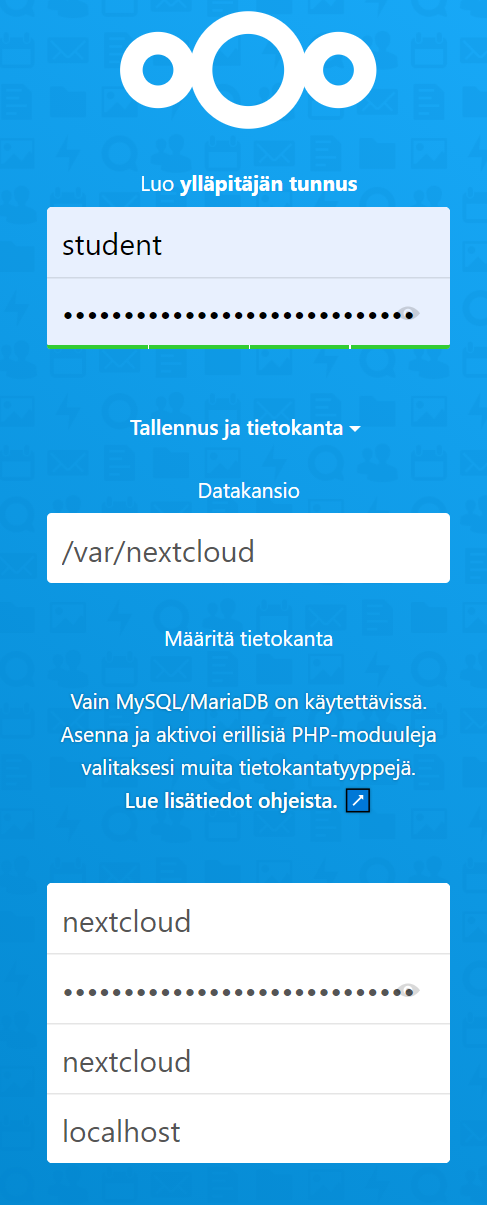
Correct the necessary deficiencies and continue with the installation. Activate 5 add-ons of your choice.
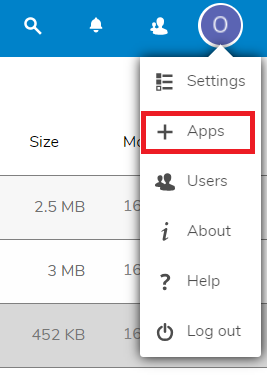
Access through untrusted domain
If the name or IP address changes, you need to make some changes to your server according to the error message.
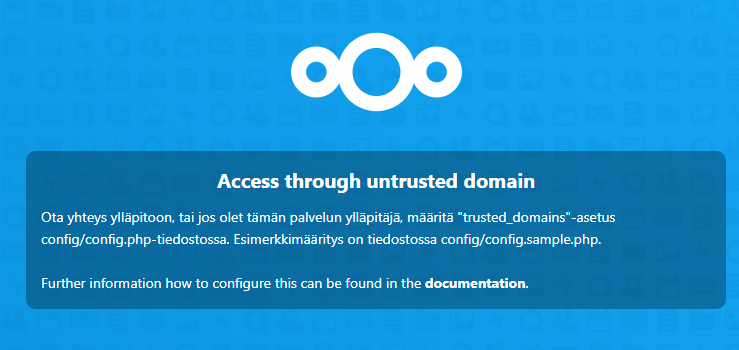
Let's edit the definition from the IP address file
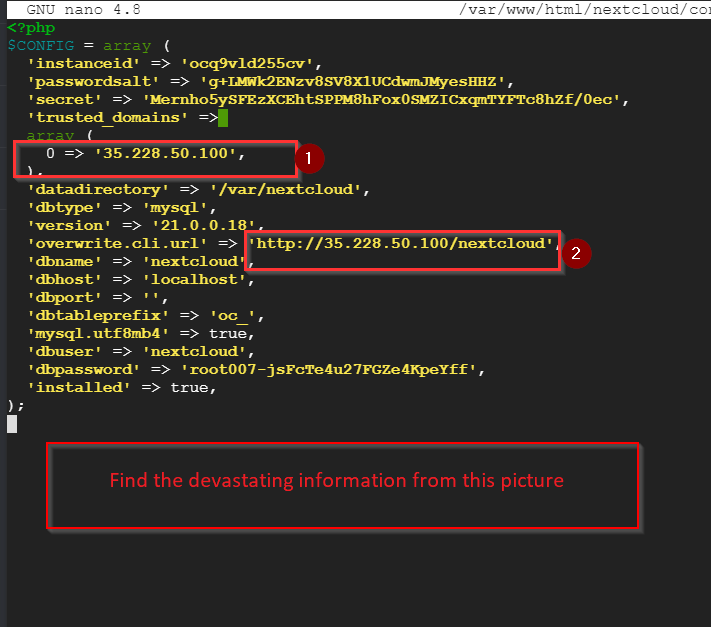
Fortunately, .htaccess is also included in the folder, but if the file is lost due to a backup or something else, nothing protects the service.

Using .htaccess in www services
If you don't have the possibility to create it outside the /var/www folder, create .htaccess that prevents external access and define the Nextcloud data folder in this path.
By default there should be .htaccess file If not you should create one.
The use of .htaccess must be allowedAllowOverride with a variable. https://www.linode.com/docs/web-servers/apache/how-to-set-up-htaccess-on-apache/
Recommended changes to php configuration
php file size and maximum amount change.NOTE the path contains a version number that always changes with an update!!!
NOTE: When installing packages, you read which version of PHP you installed, right? :)
Max Filesize is an important thing to change because this prevents us from uploading too large files to the server. Max File works here as a multiplier, we allow many simultaneous downloads in one session. When changing these, you have to think about the whole file in relation
- For connection speed
- For server power
- To the size of the storage space
- Memory_limit is a dangerous variable if the server does not have enough memory. When you increase this value, the service will take this amount of memory.
https://www.linuxbabe.com/ubuntu/install-nextcloud-ubuntu-20-04-apache-lamp-stack